How do you tell if a backlink is high quality?
A high-quality backlink comes from a relevant, trusted website, sits naturally inside useful content, and sends real visitors. To check one, look at the linking site's relevance and reputation, the page the link sits on, the anchor text, the link's attributes, and whether the link looks earned rather than bought. Third-party scores like Domain Rating can help, but they're a shortcut, not a verdict.
It's easy to get lost in dashboards and numbers. The good news is that you can judge most links in a couple of minutes with a few honest questions, and that's what this guide shows you.
What makes a backlink high quality?
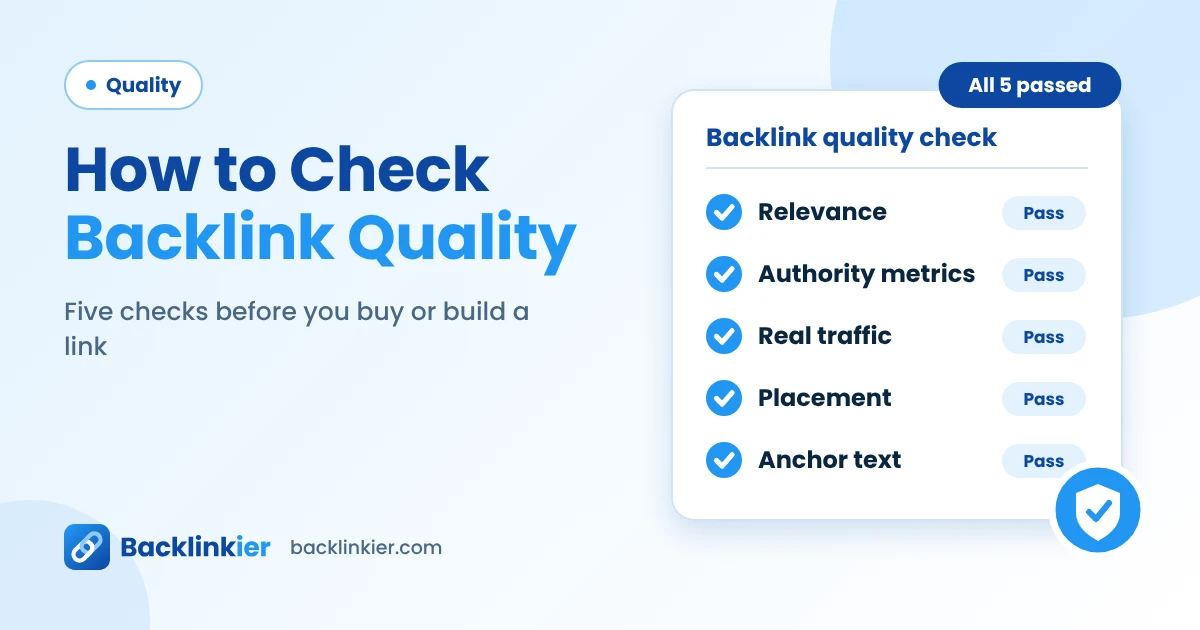
Search engines don't publish a score for links, so quality is a judgment call built from several signals. These are the ones that matter most:
- Relevance. A link from a site in your field tells search engines and readers that you belong in that conversation. A cooking blog linking to a plumbing page does not.
- Trust and reputation. Real sites with genuine content, clear authorship and a loyal audience carry more weight than thin, anonymous ones.
- Editorial placement. Links inside the body of helpful content beat links buried in footers, sidebars or long lists.
- Natural anchor text. The clickable words should describe the page, not repeat an exact keyword over and over.
- Real visitors. A good link sends people. If nobody could plausibly click it, it's worth less.
- Earned, not engineered. The best links exist because someone chose to give them.
No single factor decides everything. A link can be relevant but come from a weak site, or come from a strong site but sit in an odd place. Weigh them together.
How do you check a backlink, step by step?
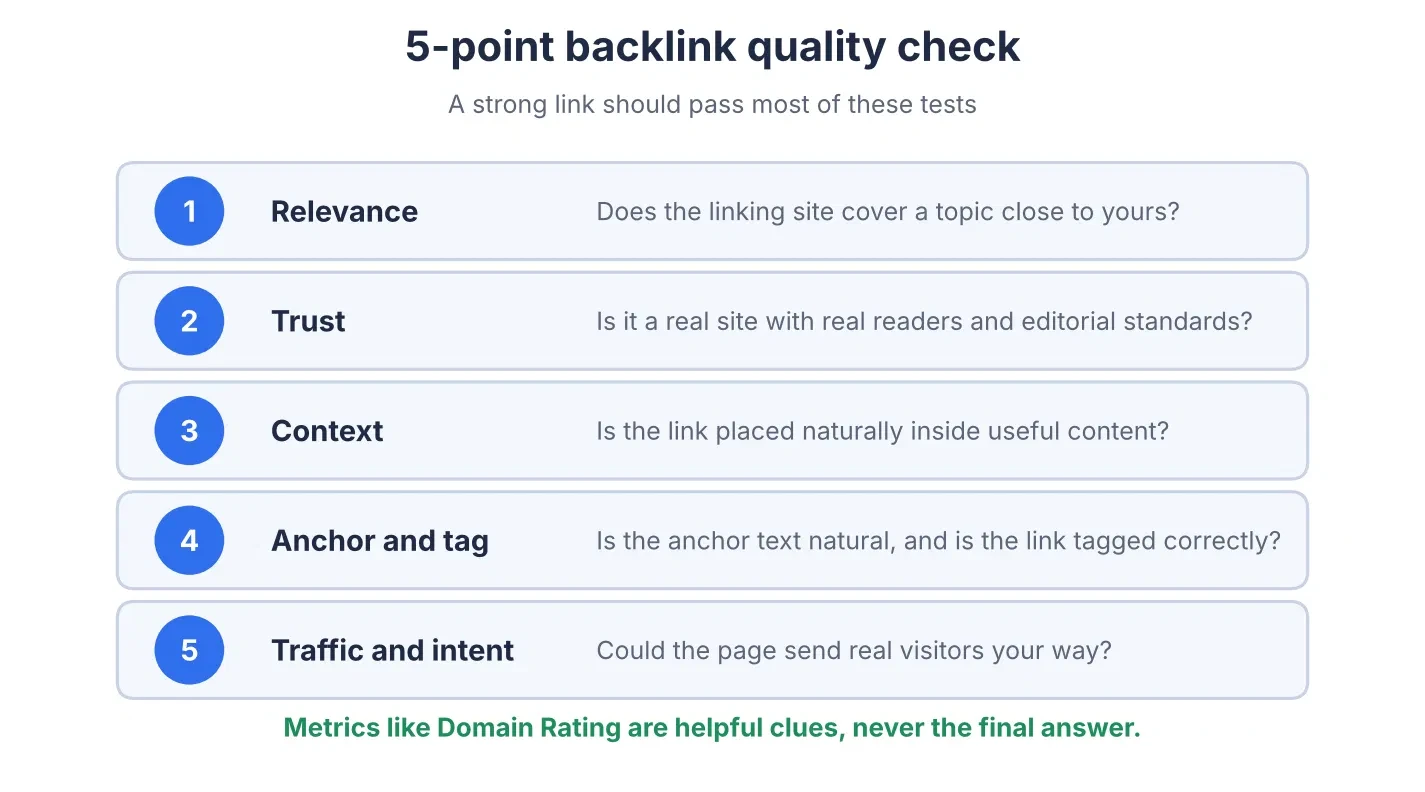
Here is the process in practice. It takes a few minutes per link.
- Open the linking page. Make sure the link is actually there, loads properly and points to the right page on your site.
- Judge the site. Does it look like a real publication or business? Check for original content, a named author, an about page and a recent publishing history.
- Check relevance. Does the topic of the page and of the site match yours?
- Look at the placement. Is the link inside the main content, surrounded by useful text? Or is it in a footer, a sidebar or a list of unrelated links?
- Read the anchor text. It should be natural and descriptive, such as your brand name or a short phrase that fits the sentence.
- Inspect the link tag. Right-click the link and choose Inspect. Look for
rel="nofollow",rel="sponsored"orrel="ugc". Those labels don't make a link bad, but they affect how much ranking credit it may pass. - Check that the page is indexed. Search for the page's exact URL in Google, or use the URL Inspection tool in Search Console if you own the site. A page that isn't indexed can't help you.
- Look at traffic and engagement. A tool can estimate how many visitors the linking site and page get. Steady organic traffic is a good sign.
- Check the neighborhood. Look at where else the page links. A page full of unrelated outbound links is a warning.
Which backlink metrics can you trust?
SEO tools give sites scores such as Domain Rating (Ahrefs), Domain Authority (Moz) and Authority Score (Semrush). They're useful for quick comparison, but they are the tools' own estimates. Google doesn't use them, and the scores differ from tool to tool.
|
Metric |
What it tells you |
How far to trust it |
|---|---|---|
|
Domain Rating, Domain Authority, Authority Score |
Rough strength of a site's backlink profile |
Good for comparing sites, easy to inflate, never proof of quality |
|
Organic traffic estimate |
Whether the site earns real search visitors |
Useful. Sudden collapses are a warning |
|
Spam score |
Likelihood of spam traits, according to the tool |
A prompt to look closer, not a verdict |
|
Referring domains |
How many separate sites link to the page |
Variety matters more than raw link count |
|
Topical relevance |
Match between their subject and yours |
Check it yourself, since tools only approximate it |
|
Indexation |
Whether Google has the page in its index |
Essential. No index, no value |
A site with a modest score but a genuine audience in your niche is often a better link than a high-scoring site with no relevance to you.
What are the red flags of a low-quality backlink?
Watch for these signs:
- The site exists only to sell links. Look for pages that say "write for us" with a price list, or that are full of sponsored posts on unrelated topics.
- Thin or copied content. Articles that are short, machine-spun or stolen from other sites.
- No clear owner or audience. No author names, no contact page, no real traffic.
- Unrelated topics. A gambling page linking to a children's school, for example.
- Hidden or odd placement. Links in tiny text, hidden sections or auto-generated lists.
- Over-optimized anchors. The same exact-match keyword used again and again.
- Sudden spikes. Dozens of new links appearing within days, all with similar wording.
- Foreign-language or hacked-looking pages that have nothing to do with your business.
- Links from pages that are not indexed or that have been penalized.
One of these signs on its own doesn't always mean trouble. Several together usually do.
Which tools help you check backlinks?
You don't need a big budget to start.
- Google Search Console (free). The Links report shows which sites link to yours, your most linked pages and common anchor text. It only covers your own site, and it's the data straight from Google.
- Bing Webmaster Tools (free). Offers a similar view of inbound links.
- Ahrefs, Semrush and Moz (paid, with limited free options). They keep their own link databases, show authority scores and traffic estimates, and let you look at competitors. Their numbers won't match each other exactly, because each crawls the web differently.
- Your own browser. Inspecting the page and the link tag costs nothing and often tells you more than a score.
A good habit is to use Search Console as your base and a paid tool to dig deeper, then judge the important links by eye.
Does backlink quality matter for AI search?
Likely yes, though no one outside the AI companies knows the exact rules. Tools such as Google's AI Overviews, ChatGPT search and Perplexity often cite pages from sources that already look credible. The same traits that make a backlink strong, relevance, reputation and real expertise, also make a site a more believable source.
When you review links with AI visibility in mind, add these questions:
- Is the site a recognized voice in its field? Respected publications and industry sites carry weight.
- Does it mention your brand clearly and accurately? Consistent naming helps people and machines connect the dots.
- Is the content current and well sourced? Fresh, referenced pages are easier to trust.
- Would someone quote this page? Original data and clear explanations earn citations.
A link from a trusted source can help twice: once in classic search, and again as a signal that your brand deserves to be mentioned.
What should you do about bad backlinks?
First, don't panic. Google says it has systems that are good at ignoring spammy links, so a few odd ones rarely hurt. Here is a sensible order of action:
- Ignore random low-quality links you didn't create. This is usually all that's needed.
- Ask for removal if the link came from a site you can contact and the link is clearly harmful or paid-for by mistake.
- Fix the source. If you or an agency built the links, stop that activity first.
- Disavow only in serious cases, such as a manual action or a large pattern of manipulative links you can't remove. Google describes the disavow tool as an advanced feature to use with care.
Keep a record of what you found and what you did. If you ever need to file a reconsideration request, that paper trail helps.
Backlink quality FAQ
What is a good backlink?
A good backlink comes from a relevant, trustworthy website, sits naturally in helpful content, uses natural anchor text and can send real visitors to your page.
Is a high Domain Rating always a sign of a good backlink?
No. Domain Rating and similar scores are third-party estimates. A high score helps as a clue, but relevance, placement and real audience matter more.
Is a nofollow link low quality?
Not necessarily. It may pass less ranking credit, but it can still bring visitors, build awareness and lead to other links. Google treats nofollow as a hint.
How can I check backlinks for free?
Use the Links report in Google Search Console to see who links to your site, then open the linking pages to judge them yourself.
How many good backlinks do I need?
There's no set number. Compare with the pages already ranking for your keyword and aim for steady growth in relevant, trusted links.
Do I need to disavow bad backlinks?
Usually not. Google generally ignores spammy links. Disavow is meant for serious cases, such as a manual action or a large scheme you can't undo.
Final thoughts
Checking a backlink comes down to a few honest questions: is it relevant, is the site trustworthy, is the placement natural, and would real people click it? Scores can point you in a direction, but your own judgment makes the call.
Start with your Search Console Links report this week, pick your ten most important links, and run each through the checklist above. You'll learn more about your link profile in an hour than a dashboard can tell you in a day.